Scan with your phone
Show QR code
Scan with your phone
VERSION 1.3.0
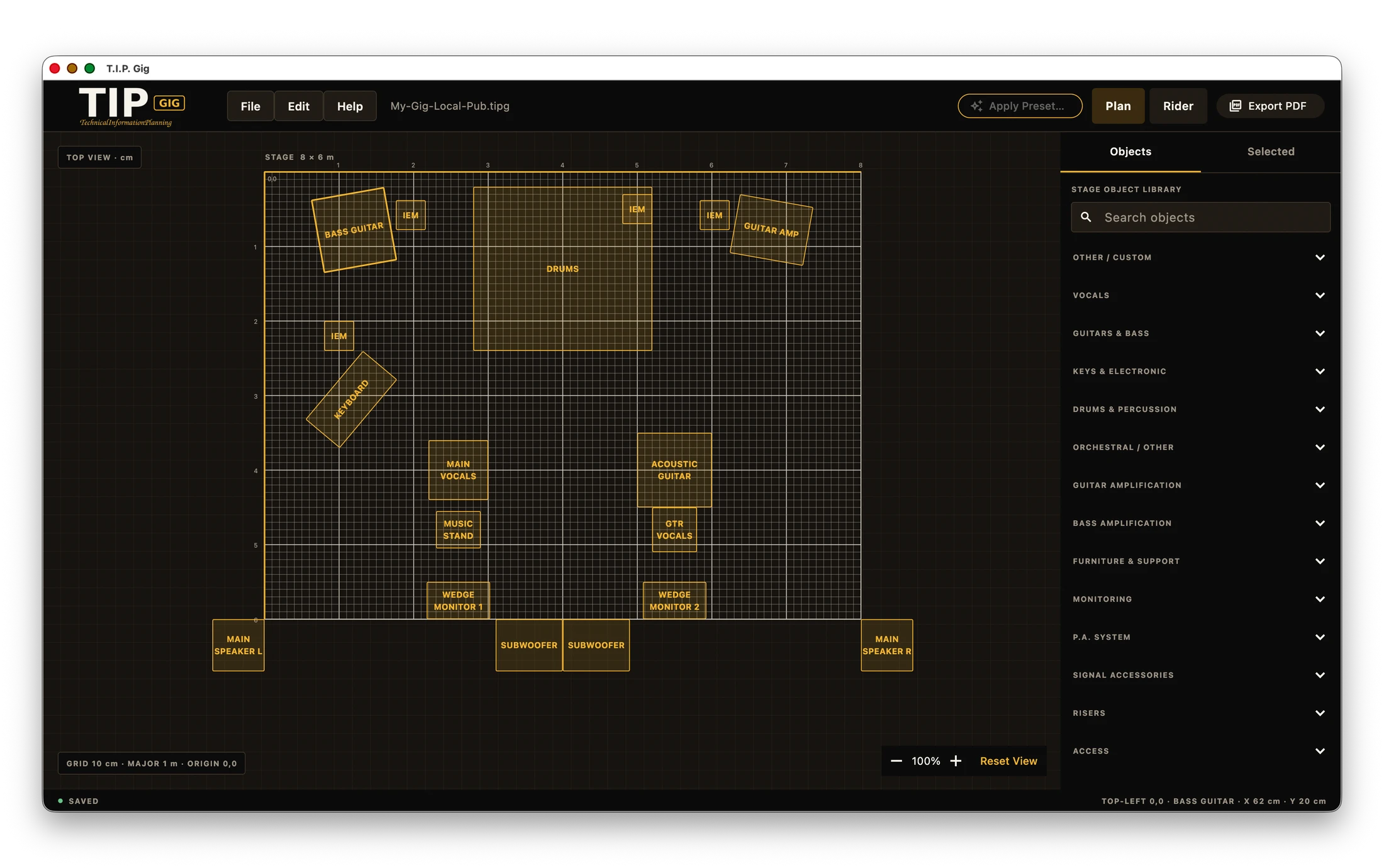
T.I.P. Gig is an app for creating stage plots and technical riders. Arrange your stage layout, organise input and output lists, and export your technical rider as a PDF.
Available on Google Play. Available for iPhone & iPad on the App Store. Available for macOS on the Mac App Store. Available on the Microsoft Store.
T.I.P. Gig
Available on Google Play. Available for iPhone & iPad on the App Store. Available for macOS on the Mac App Store. Available on the Microsoft Store.
The base app is a one-time purchase, with an optional one-time Rider Styles Upgrade. Core stage planning, editing and PDF export do not require the Upgrade.
Purchases do not transfer between different store ecosystems.
Scan with your phone
Scan with your phone
Scan with your phone
Scan with your phone
Scan with your phone
Scan with your phone
Scan with your phone
Scan with your phone
Set out the stage, place the equipment and keep the technical details with the layout. When the plan is ready, turn the same project into a clear Rider.
WORKS LOCALLY
T.I.P. Gig is an installed app that keeps the project on your device. It does not need an account or an internet connection for its core workflow.
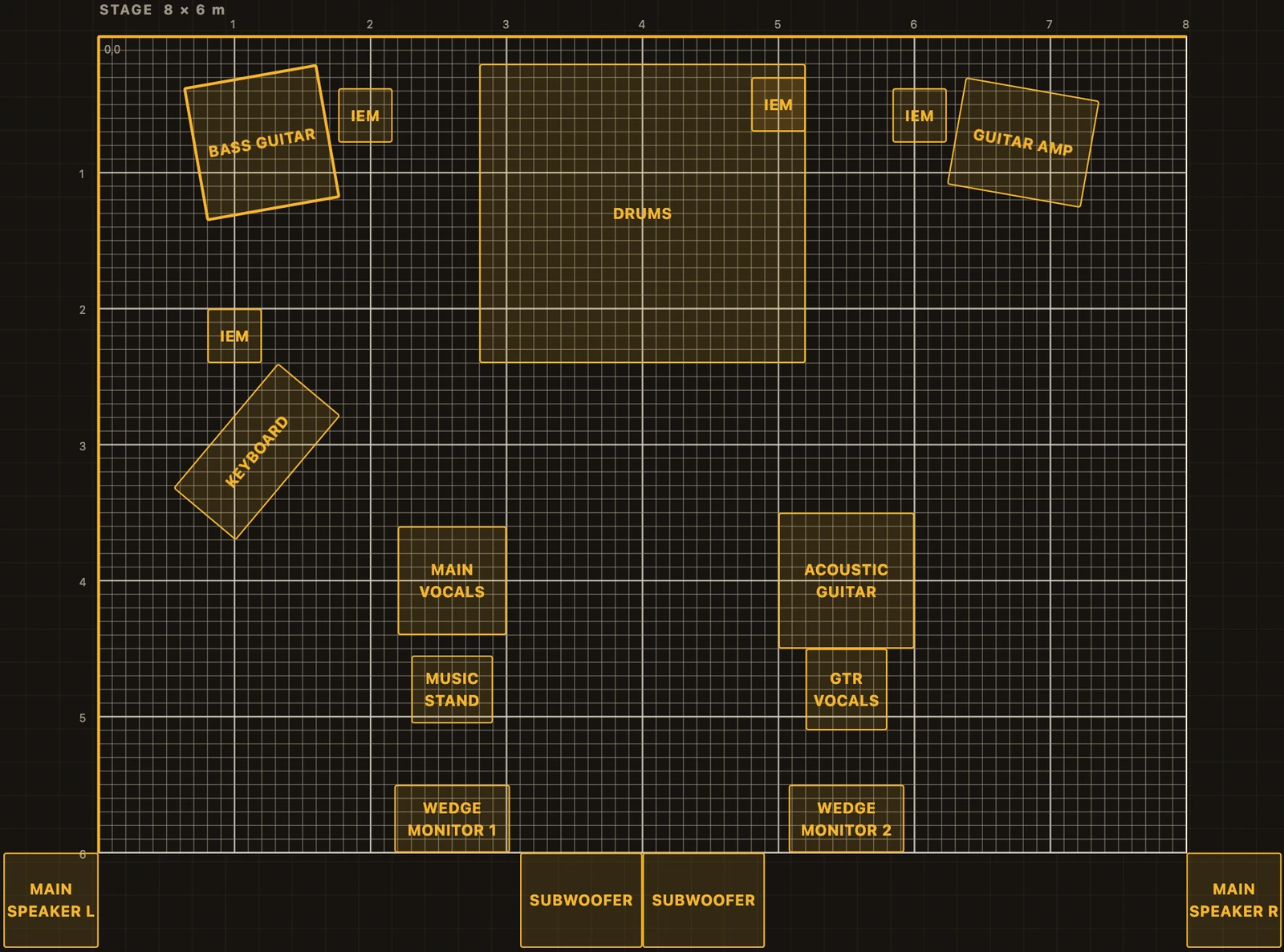
01 · Stage Plan
Place equipment, set its size and position, and fine-tune the layout with the grid and alignment guides.
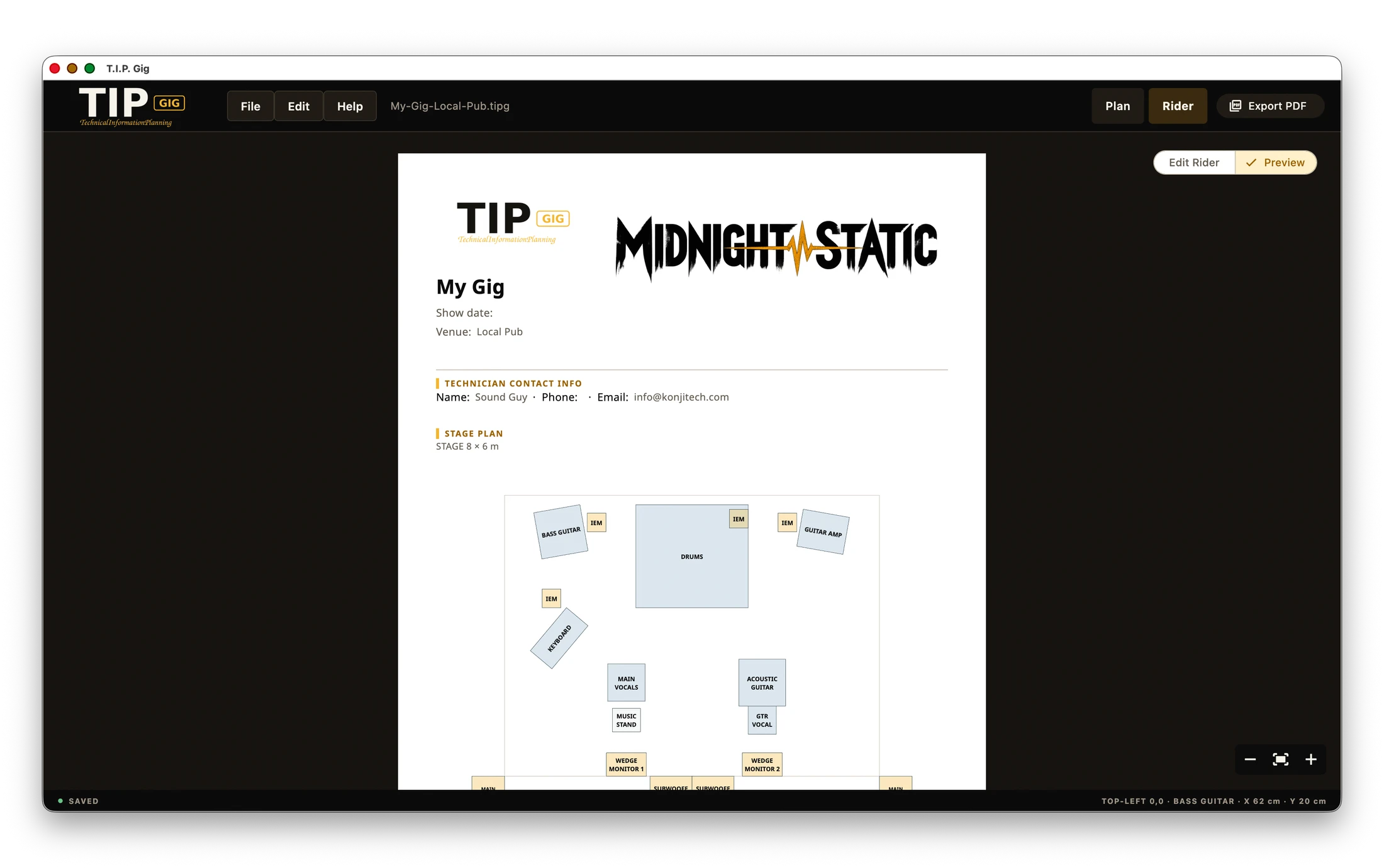
02 · Rider
Review the Stage Plan alongside the input list, output list, personal monitoring routing and notes. Then export an A4 Rider PDF locally.
Download a sample technical rider exported from T.I.P. Gig. This is a demonstration sample document.
For viewing, evaluation and demonstration only. No modification, use for an actual event or production, redistribution or sale without our prior permission, except where applicable law permits it. See Website Terms.
What stays together
Build a measured plan with the equipment you need.
Keep the technical information attached to the same project.
Review the Rider and export it locally when it is ready.
WHAT'S NEW
Adjustable object labels, new platforms and tables, editable PA and monitor equipment, and smoother Rider navigation.
Read the 1.3.0 update